Tools
Notion isn't just for project management — it's one of the best tools for personal health tracking. Here's why it works and how to set it up for IBS symptom logging.
2 March 2026
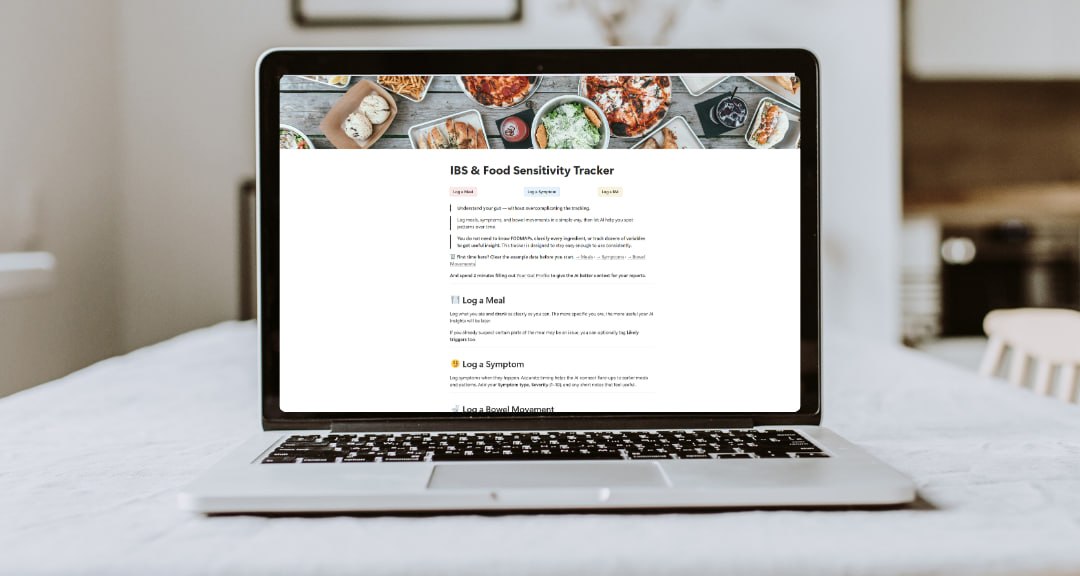
Most people don't think of Notion as a health tool. It's associated with productivity systems, project management, and the kind of intensely organised people who colour-code their entire lives. But for food and symptom tracking specifically, it has some properties that make it genuinely excellent — and far better than most dedicated health apps.
I've been using Notion-based tracking systems with IBS patients for a while, and the ones who stick with it longest are usually Notion users. Here's why, and how to set it up properly.
Most apps give you a feed or a diary — a chronological list of entries you scroll through. Notion lets you build a proper relational database. Each food log entry is a record you can filter, sort, search, and cross-reference.
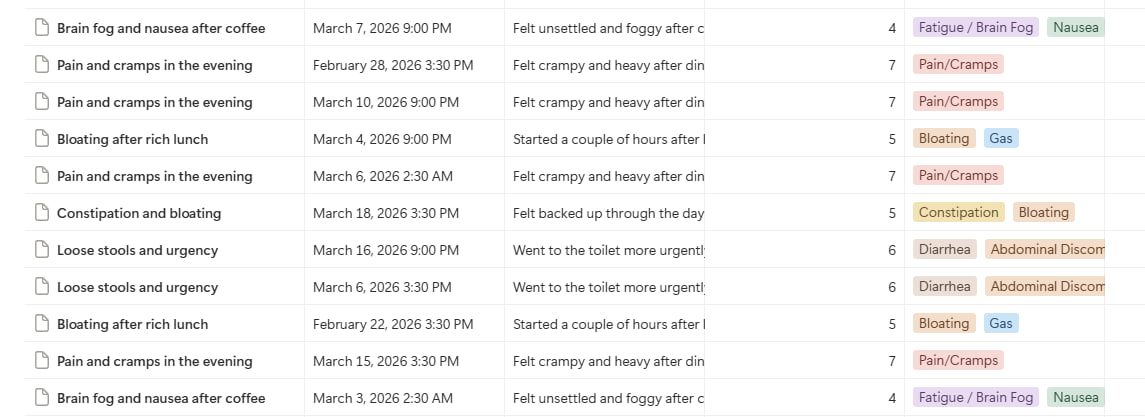
Want to see all entries where you ate garlic and had bloating above a 3/5? Filter your database. Want to see your average symptom severity by week? Build a formula. Want to pull all your high-stress days and see what you ate? Create a view.
This is the difference between a diary and a dataset. A diary shows you individual entries. A dataset shows you patterns.
Notion's database views mean the same data can be displayed in multiple ways simultaneously — a calendar view, a filtered table, a gallery view. Your food log can be viewed as a timeline to see day-by-day patterns, or as a sorted table to find the foods most correlated with bad days.
Generic health apps often force you into their data structure. Notion lets you design exactly the fields you need:
This sounds complicated. Once set up, it takes less than 2 minutes per entry — just like any other app.
The same Notion database syncs between your phone, tablet, and desktop. Log a meal on your phone right after eating. Review patterns on your laptop. Export data for analysis. Everything is in one place, always up to date.
Here's the structure that works well for food sensitivity tracking:
Don't try to build the perfect system on day one. Start with a simple database with just a few properties. Add complexity only when you find yourself wishing you'd captured something. Over-engineered systems get abandoned; simple ones get used.
If you don't want to build from scratch, structured templates do most of the design work for you. The IBS & Food Sensitivity Tracker is built in Notion precisely because Notion's database capabilities are what make the analysis step possible.
The tracker includes:
The AI analysis step — where you feed your tracking data to an AI model to find patterns — works much better when your data is consistently structured. Random notes in different formats don't lend themselves to pattern detection. A consistent Notion database does.
This is where Notion-based tracking pays off in a unique way. After 3–4 weeks of consistent logging, you can export or copy your database and feed it to an AI analysis tool.
The AI can identify:
This analysis step transforms weeks of careful logging into actionable conclusions — which is the whole point.
Most dedicated symptom tracking apps are designed for general health logging, not specifically for IBS food trigger identification. They often don't capture ingredients granularly enough, don't allow custom symptom types, and don't give you access to your raw data for analysis. Notion does all of these.
The tradeoff: Notion requires more initial setup than downloading a dedicated app. But the setup takes about 30 minutes once, and the resulting system is substantially more powerful and flexible.
For people who are serious about identifying their triggers — not just loosely tracking for a few weeks — Notion's database approach is worth the investment.
Being honest: Notion has limitations too.
If you genuinely won't use Notion, a simple spreadsheet or even a structured notes template is better than the "perfect" system you never open.
Whatever system you use, consistency matters more than sophistication. A simple log you complete every day beats an elaborate system you use intermittently. Choose the format you'll actually stick to, even if it's less powerful than Notion.
The IBS & Food Sensitivity Tracker makes logging simple — then uses AI to find patterns you'd miss on your own.
Get the Tracker →Notion works well for IBS tracking because it's a relational database, not just a diary. This means you can filter, sort, and analyse your data — and feed it to AI tools for pattern detection. The initial setup takes 30 minutes, but the resulting system is more powerful and flexible than most dedicated health apps. Consistency matters more than the tool — use whatever you'll actually open every day.
A simple, low-pressure way to start noticing patterns between what you eat, how your gut feels, and what might actually be triggering symptoms - before you commit to the full tracker.
Free — delivered straight to your inbox
🔒 No spam, we promise. Unsubscribe any time.